AI-powered email management software
No more messy threads, missed emails, and duplicate replies—ensure accountability, clear ownership, and effective collaboration with Hiver.
Get unlimited users on the Free plan ✦ No credit card needed
Customer service, Finance & IT teams across 2,000+ companies trust Hiver





Trusted by 10,000+ teams globally








Simplify email management with Hiver
Supercharge your inbox
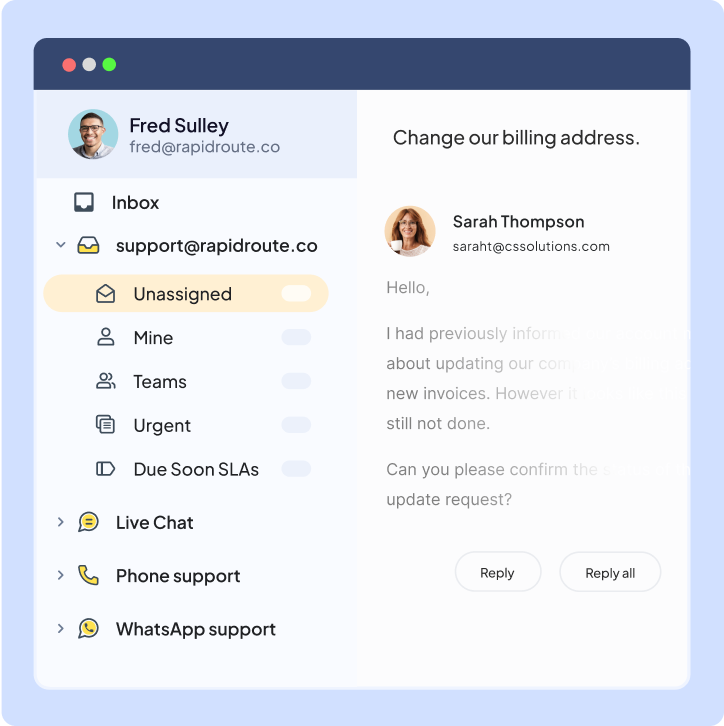
Effortlessly manage all incoming emails to addresses like support@, info@, and more—without ever leaving your inbox.
Improve team productivity
Connect your inbox with any app to help your team quickly gather customer data and solve issues faster—improving response times.
Enhance collaboration
Let your team effortlessly share notes, streamline workflows, and collaborate efficiently on customer queries without CCs and forwards.
Tame the Shared Inbox chaos, once and for all
Ensure accountability on
every email
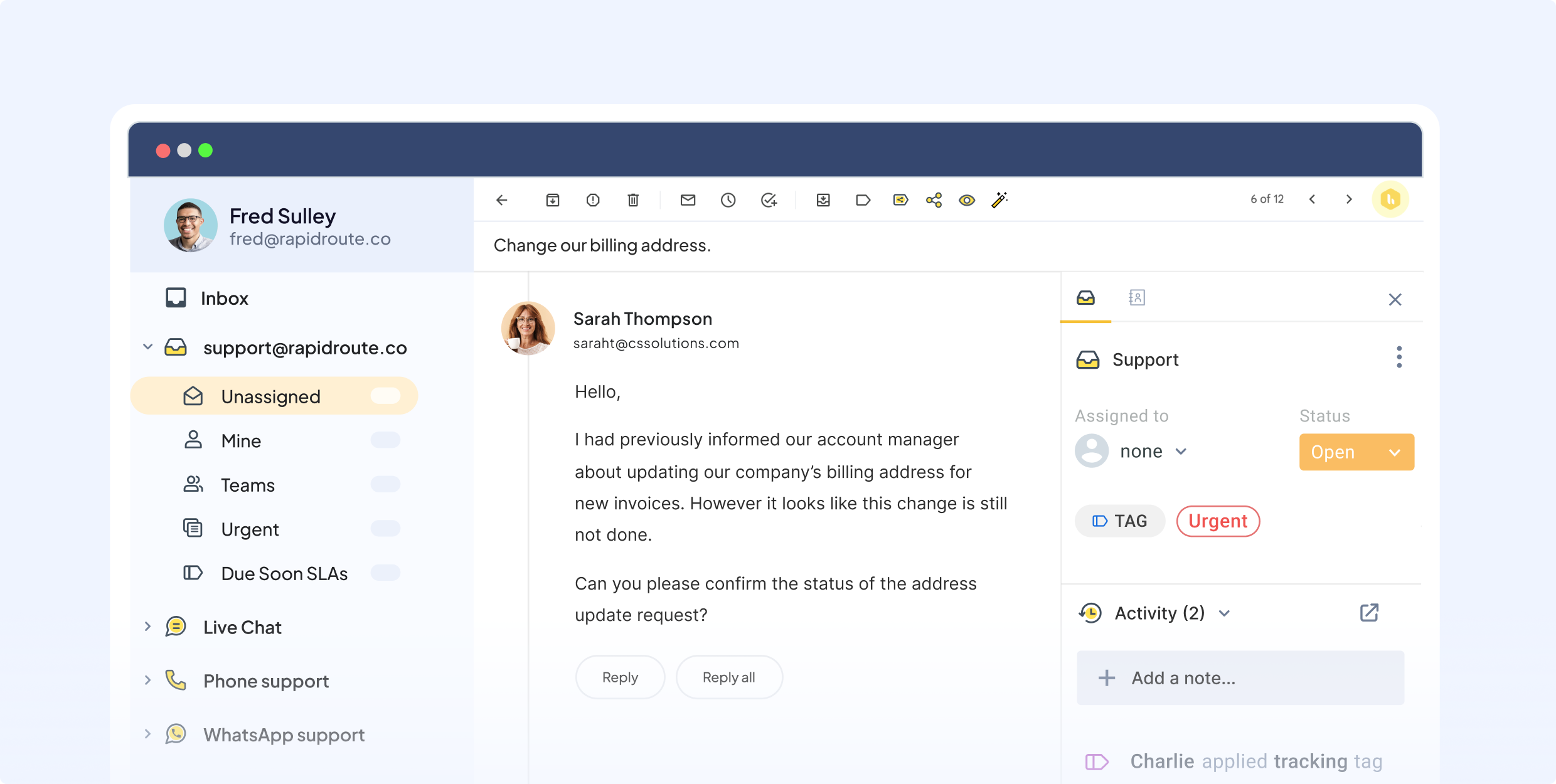
Email groups and distribution lists can get messy fast. Hiver makes it effortless to handle high email volumes—easily route and assign emails with clear ownership, no CCs or forwards needed.
Track email status and categorize them better with tags.

Modern and intuitive ticketing built for collaboration
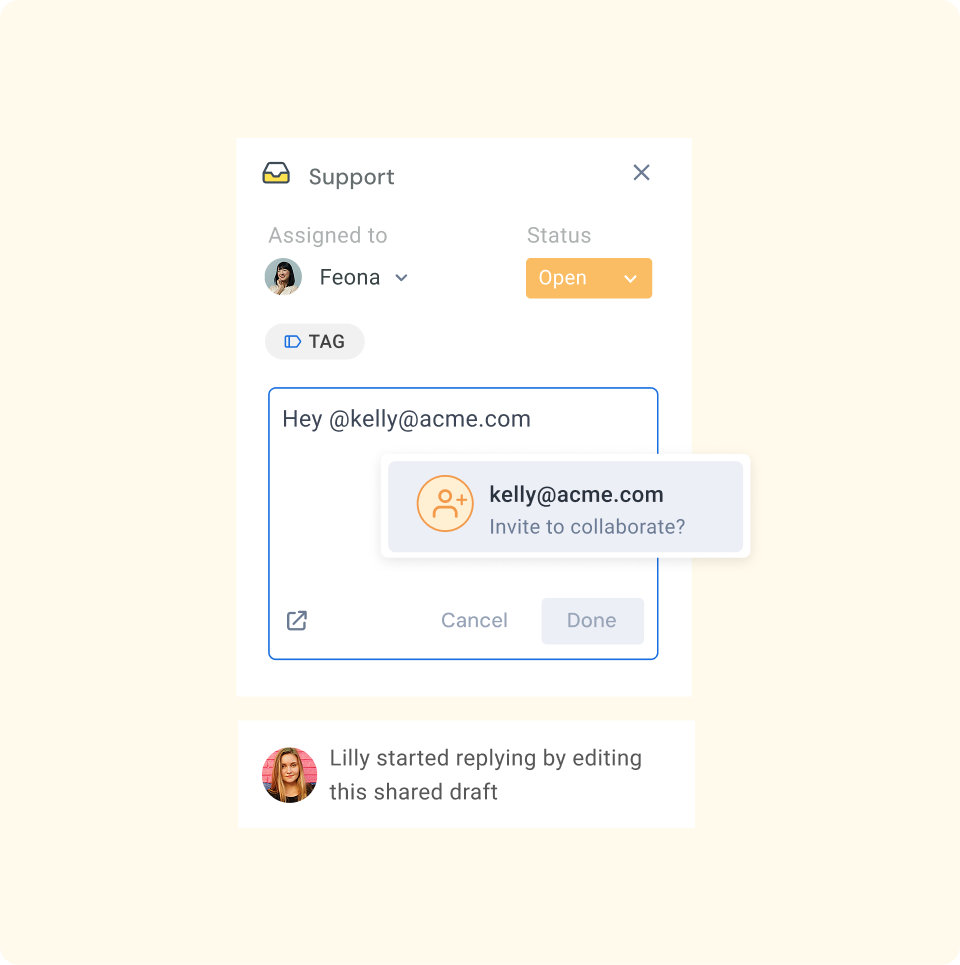
Collaborate on emails with your team and non-Hiver users using internal notes, @mentions, and permalinks.
Automate the gruntwork and integrate all your apps
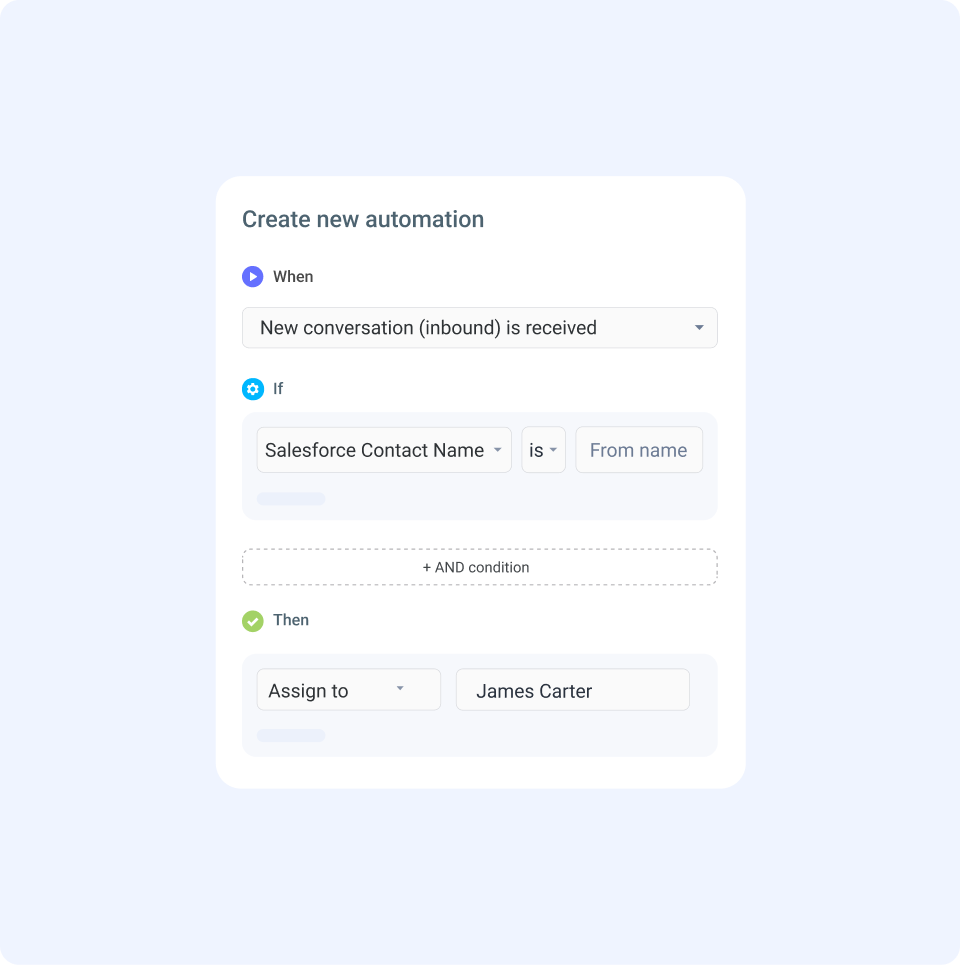
Use rule-based workflows and AI to route emails to the right team member, categorize them automatically, and ensure every email is responded to on time.
Connect with over 100 apps like Asana, Jira, and more to handle every task within Hiver.
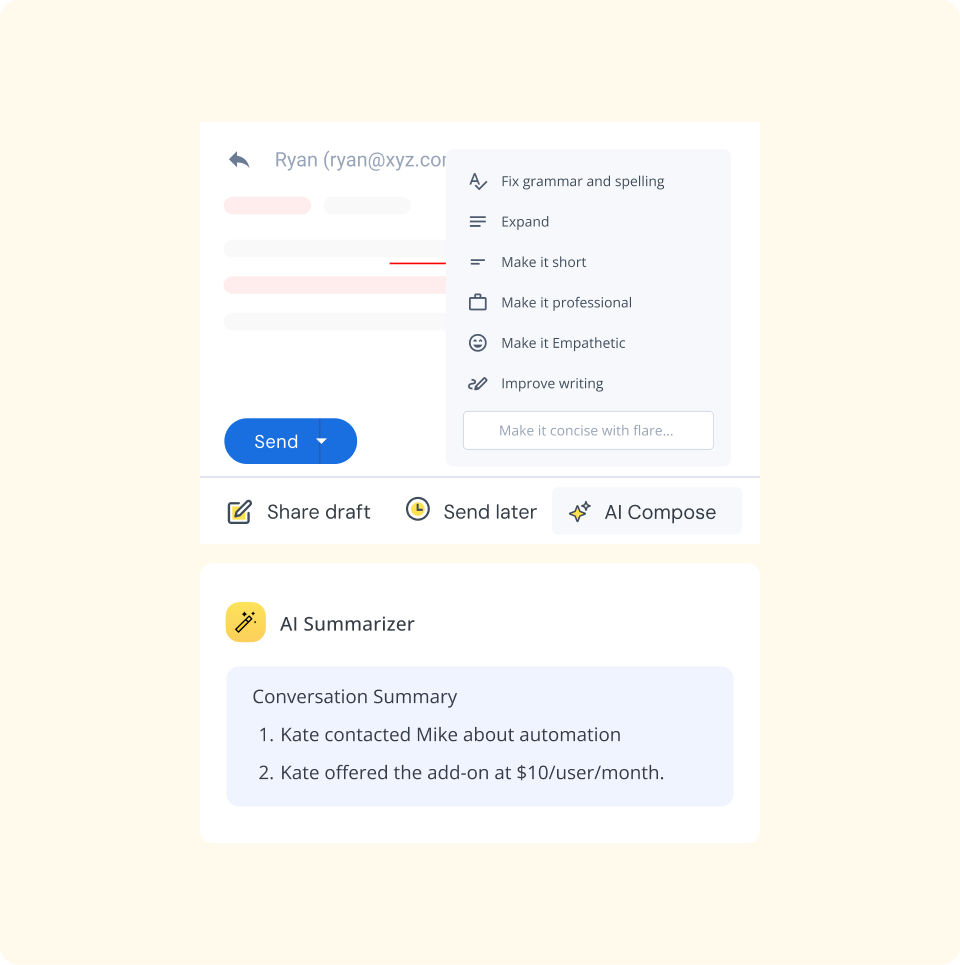
Smarter customer service with AI
Let AI help your team deliver lightning-fast customer service. Automatically draft replies, categorize emails for better reporting, and ensure seamless handoffs with quick summaries.
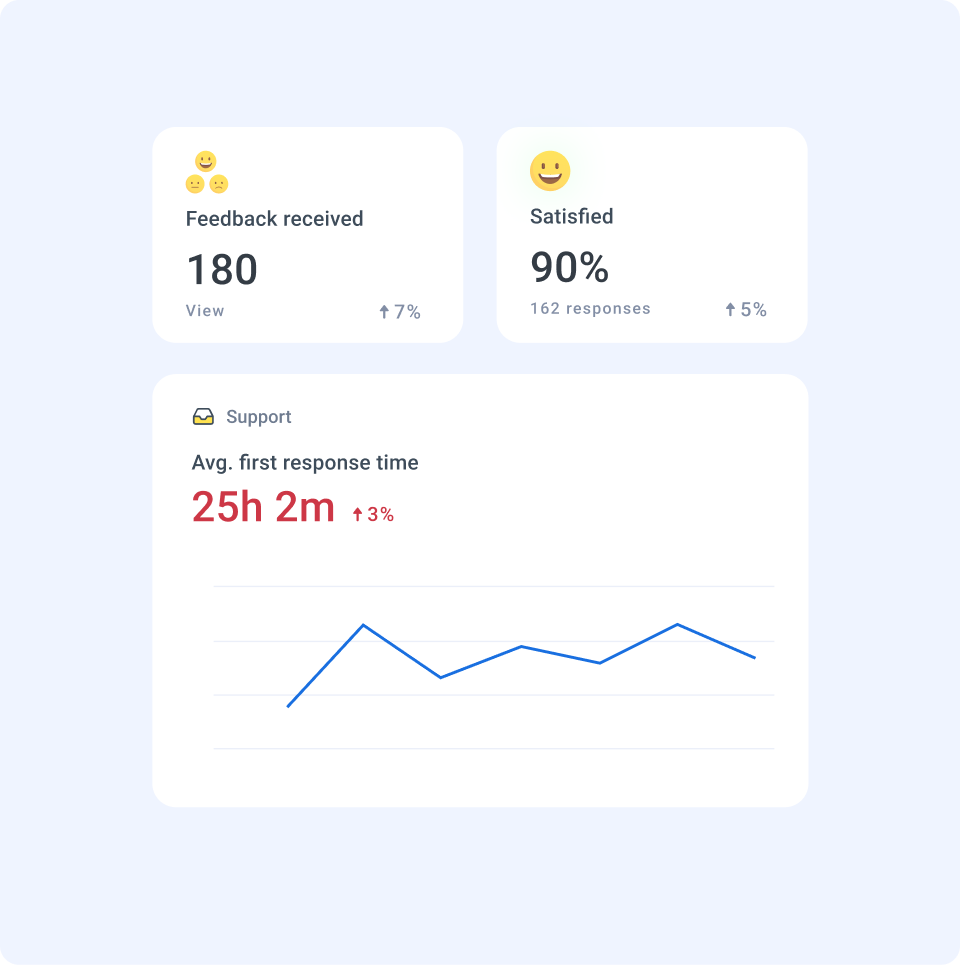
Stay on top of your team's performance
Track key metrics such as response time, resolution time, and customer feedback to plan headcount and identify improvement opportunities.
Easily customize reports and dashboards to share key insights with your team.
The complete customer
service platform
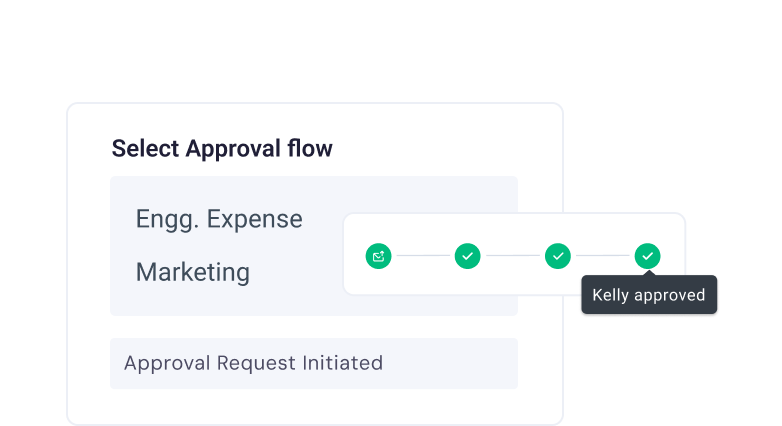
Approvals
Speed up resolutions using approval workflows on customer requests.

Collision Alerts
Avoid duplicate work or conflicting responses by seeing who’s working on a query in real time.

Shared Inbox
Organize, assign, and track queries efficiently to ensure nothing gets missed.

Out of office
Enable team members to mark out-of-office, ensuring efficient routing.

Email Templates
Turn frequent replies into readily available templates and use them to respond faster to customer queries.

Conversation followers
Follow important emails to get notified of their progress and escalations.



Explore why brands love Hiver










Frequently Asked
Questions
What is a shared email mailbox?
A shared inbox is a centralized inbox that is typically used when multiple users need to access and work on the same set of emails. For example, teams like customer support, or account management would use a shared inbox as people outside the company typically reach out to them with questions.
How do I turn my email into a shared mailbox?
Turning your email into a shared mailbox involves configuring your email settings to allow multiple users to access and manage the mailbox. Hiver, with its advanced shared inbox capabilities, enables teams to seamlessly convert their inbox into shared inbox, fostering better collaboration and efficiency in handling customer queries.
Why use a shared inbox?
A shared inbox enhances team collaboration and efficiency by centralizing email communication, making it easier to manage customer queries, assign tasks, and ensure no email goes unanswered. Hiver offers a shared inbox with features like email delegation, collision detection, and analytics, significantly improving team productivity and customer satisfaction in a seamless and integrated manner.
What are the 4 D's of email management?
The 4 D’s of email management are Delete, Do, Delegate, and Defer. Hiver can enhance this process by efficiently organizing emails into categories, allowing for quicker delegation and follow-ups, thus streamlining communication and task management.
How do you effectively manage emails?
Effective email management involves organizing your inbox, prioritizing important messages, and using tools to automate repetitive tasks. Hiver enhances this process by offering shared inboxes, email delegation, and automation features, making team collaboration and customer support seamless and efficient.
What is the best way to organize your email?
The best way to organize your email is by using filters, labels, and folders to categorize messages based on subject, sender, or priority. Hiver offers tags, labels, notes, and @mentions to streamline collaboration and improve team response times.
Ace email management with Hiver
Supercharge your inbox with Hiver—streamline workflows and get more done, faster.
Unlimited users on Free plan ✦ No credit card needed