


How well you handle emails arriving at support@ and servicing@ email addresses will have a significant impact on your client relations, and your revenues eventually.
At the same time, how your team collaborates on client requests, how organized they are, and how well they use Gmail labels will determine how fast you finish tasks.
Unfortunately, email management is not as simple as it sounds. I am sure you can relate to one or more of the below:
- I am not able to find out what is the status of that client email
I am not able to find the previous email conversation I had with this client
I forwarded three emails to my teammate yesterday — wondering what happened
I am not very sure who in my team is working with which client
I am not sure how to communicate to my team that this email is a priority
I wish I had replied to that client sooner
I have many unattended emails in my inbox
Knowingly or unknowingly, you are delaying service to clients because you do not manage emails very well.
You need a robust tool to make managing emails easy, without compromising the security of your clients’ data. This is when you’ve got to start using Hiver.
Hiver makes email management extremely simple for you and your team and ensures your clients’ data is a hundred percent secure.
Here’s a breakdown of what Hiver can do for you:
Access support@ and servicing@ from the same inbox
When you use Hiver, you will have the ability to access and manage multiple email addresses from your inbox. You will never have to log into a separate inbox to manage shared inboxes.
Not just you, anyone from your team can manage these email addresses from their inboxes.
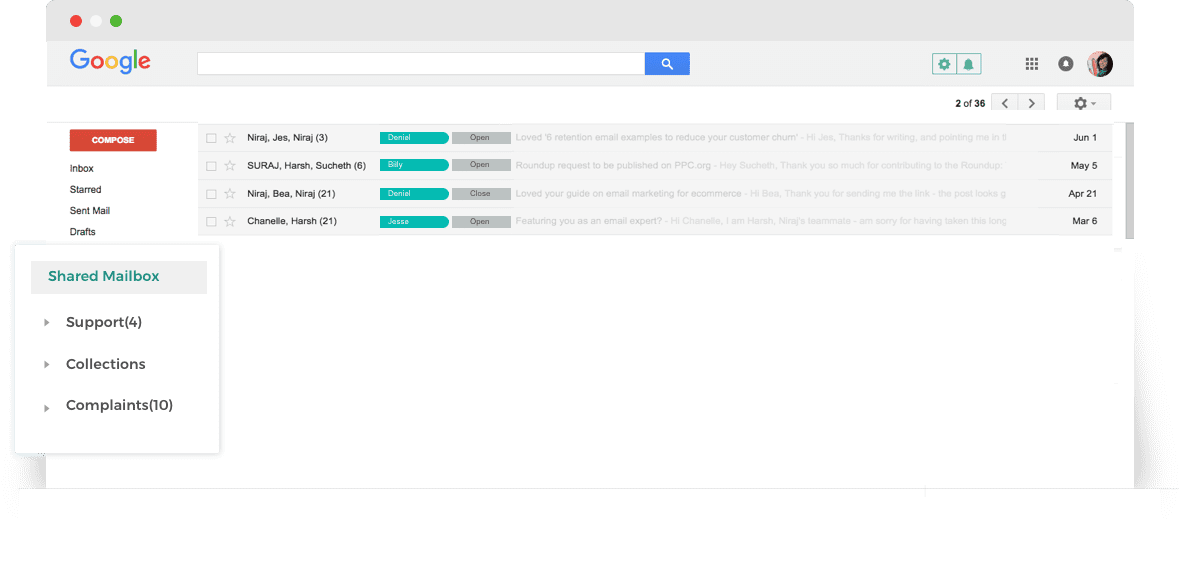
You’d love this: When you use Hiver, there’s no limit to the number of users you can add to a shared inbox. Google, otherwise, does not allow more than 25 users to access a shared inbox.
Delegate emails to teammates effortlessly; even automatically
You receive an email at support@ email address and want someone from your legal team to work on it.
With Hiver, you get the capability to delegate emails as tasks to your teammates. All it takes is two clicks. No forwarding.
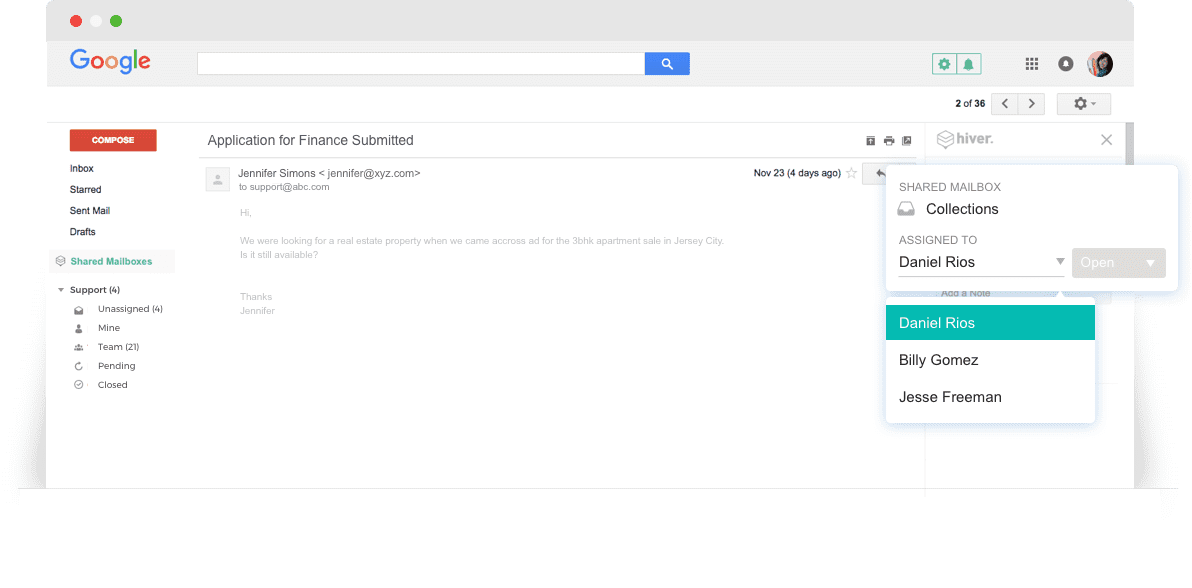
You can also automate Hiver to assign emails to your team automatically.
Say Richard always works on customer requests from Zoom.com — you can automate Hiver to assign all incoming emails from Zoom.com to Richard with zero human intervention.
Know the owner and status of tasks quickly
How many times have you sat wondering what happened to that email you had sent to the accounts team? When you weren’t sure which member of the accounts team is working on the task.
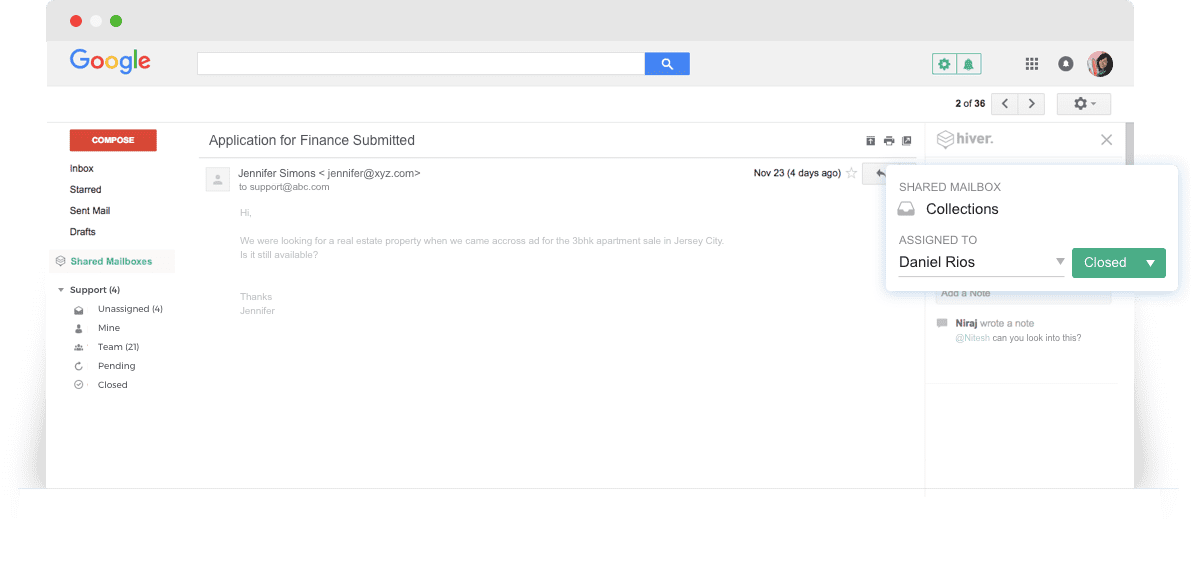
With Hiver, you will always know what happened to emails you had assigned to your teammates.
Every email will bear a label that tells you who is working on the task, and its status.
Communicate with your team without sending emails
Say you are working on a client request and need help from a senior manager.
You can use Hiver’s Notes to communicate with your teammates. Notes are like chat messages right next to your email thread.
You’d love this: Notes stay next to the email thread forever in case you want to go back to it in the future. No more emails for internal communication.
Worried about data security? Hiver’s got your back
We understand the degree of confidentiality you have to maintain when dealing with sensitive client information.
When you use Hiver, your emails are still on the Google servers. Hiver does not store your passwords, your contacts — basically, nothing at all.
Here is more information about it.














