


Growth is exciting until your inbox overflows, your team juggles hats, and customers start slipping through the cracks. Scaling customer service is one of those problems that sneaks up on growing teams.
Early on, it’s common for teams to handle support informally, such as when someone from marketing replies to emails or a product manager steps in after hours. But as your customer base expands, these patchwork solutions quickly fall apart.
Customer service at scale isn’t just about answering more queries. It becomes critical for protecting your brand reputation, retaining customers, and sustaining growth.
To scale successfully, you need more than goodwill and hustle. You need a clear strategy, dedicated teams, structured processes, and the tools to support your customers.
In this guide, we’ll explain why scaling customer service is essential and share actionable steps for building a support system that grows with your business.
What does scaling customer service mean?
Scaling customer service means preparing your support systems to handle more customers, more queries, and higher expectations.
It’s not about simply hiring more agents as you grow. It’s about building a team with the right skills, creating workflows that streamline common queries, and investing in tools that automate and speed up support tasks.
Instead of treating every issue as a one-off, you build repeatable systems, such as escalation paths, knowledge bases, and internal processes, so your team can resolve queries faster.
Scaling also means protecting the customer experience. Service must remain personal, reliable, and proactive as your business expands, not stretched thin or inconsistent.
Why is scaling customer service important?
The answer to this question lies in the numbers.
- For every customer complaint, 26 other unhappy customers have remained silent – Lee Resource.
- 96% of unhappy customers don’t complain; however, 91% will simply leave and never come back—1 Financial Training services.
- A dissatisfied customer will tell between 9 – 15 people about their experience. Around 13% of dissatisfied customers tell more than 20 people. – White House Office of Consumer Affairs.
- Happy customers who resolve their issues tell about 4-6 people about their experience. – White House Office of Consumer Affairs.
You need to realize that as you grow your customer base, the margin for error reduces. And if you don’t deliver consistently great experiences, your customers will not only leave you but also tell the world about it.
Take the infamous ‘Dell Hell’ case, in which an angry customer created a blog to gather other angry customers who were ignored by Dell’s customer service. The movement became so big that it entered the New York Times.
Or the instance where United Airlines broke a musician’s expensive guitar and took forever to fix the situation. The musician went on to create a trilogy of “United Breaks Guitars” songs that clocked over 12.5 million negative impressions!
I agree that both these incidents are isolated and are from 10 years ago, but their takeaways are still relevant today. Negative reviews can cause you to lose close to 80% of potential clients.
Without proper tools and systems to address your customer service needs, you are planning to possibly become another viral sensation (not in a good way) or lose a potential customer you did not know you could have.
13 tips to scale customer service in your organization
Customer service is one of the essential features that must scale with your business. It is responsible for a very important aspect of your business – customer retention.
Let’s discuss 13 tips on scaling customer support and building a loyal customer base by consistently delivering great experiences.
1. Create a scalable environment for your support team
The real goal of scaling customer service is to provide an environment that allows customer service specialists to be as efficient as possible.
An environment conducive to scaling customer support, where they can focus more on resolving critical issues than on routine tasks. By creating extensive how-to guides and automating time-consuming tasks, your support team can scale customer service more effectively, using their time and energy better.
Of course, creating the right environment is easier said than done. Your customer service reps must know the corporate priorities.
Rackspace prides itself on a story about a support staff member who, while on a call with a customer, heard that the client’s team was hungry and ordered them pizza while they were continuing to solve the matter.
2. Invest in strong customer onboarding
Onboarding is a key element of scaling customer service.
Onboarding can be as simple as sending out a welcome email with some greetings and explaining further steps the new customer should take. Or it can be as sophisticated as the elements in this visual:

ChartMogul has an explanatory and simple guide on some aspects of proper onboarding. This is the full set for a SaaS service.
When you are a small team, you can start with the essentials and later move on to checking all the boxes. Sending out an introductory video or a short email with some tips can go a long way, even if you cannot offer a comprehensive onboarding experience.
This will also ensure that a significant portion of potential customer service requests are solved before they even surface!
Recommended reading
3. Create a self-service knowledge base
One easy way to address customers’ questions and issues is to implement self-service options like a knowledge base and an FAQ section.

A knowledge base usually contains answers to the most common queries that customers bring up. Maintaining a knowledge base serves two purposes.
Not only does it empower your customers to search for the solution themselves, but it also acts as an instant support database for your reps. This drastically improves your resolution time and reduces the workload on your support agents.
4. Build your customer community
User-generated content is often underrated when it comes to scaling customer support. When customers want to share their experience using your product/service and help other users with their questions, building a community that enables them to do so goes a long way toward ensuring queries are answered on time.
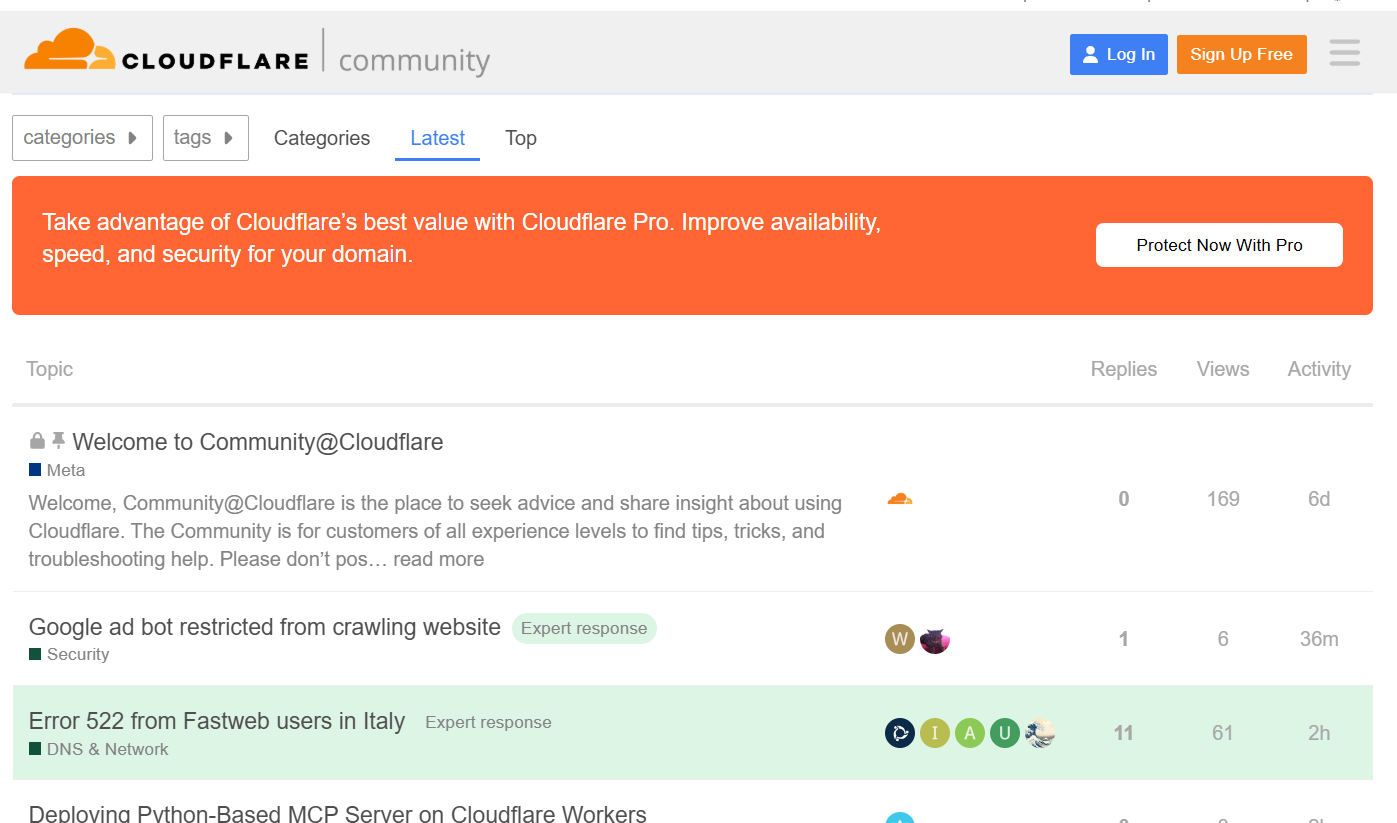
Whenever an issue could not be resolved through the resources/help page, I went to the CF community forum. There, you may find users who had to solve the same problem as you or are just fans of the platform who are ready to help.
Moderation and replies are not left to the community alone. Cloudflare’s official representatives can help you tackle the problem or steer you in the right direction.
Another great example of community-driven customer service is the SAP Community.
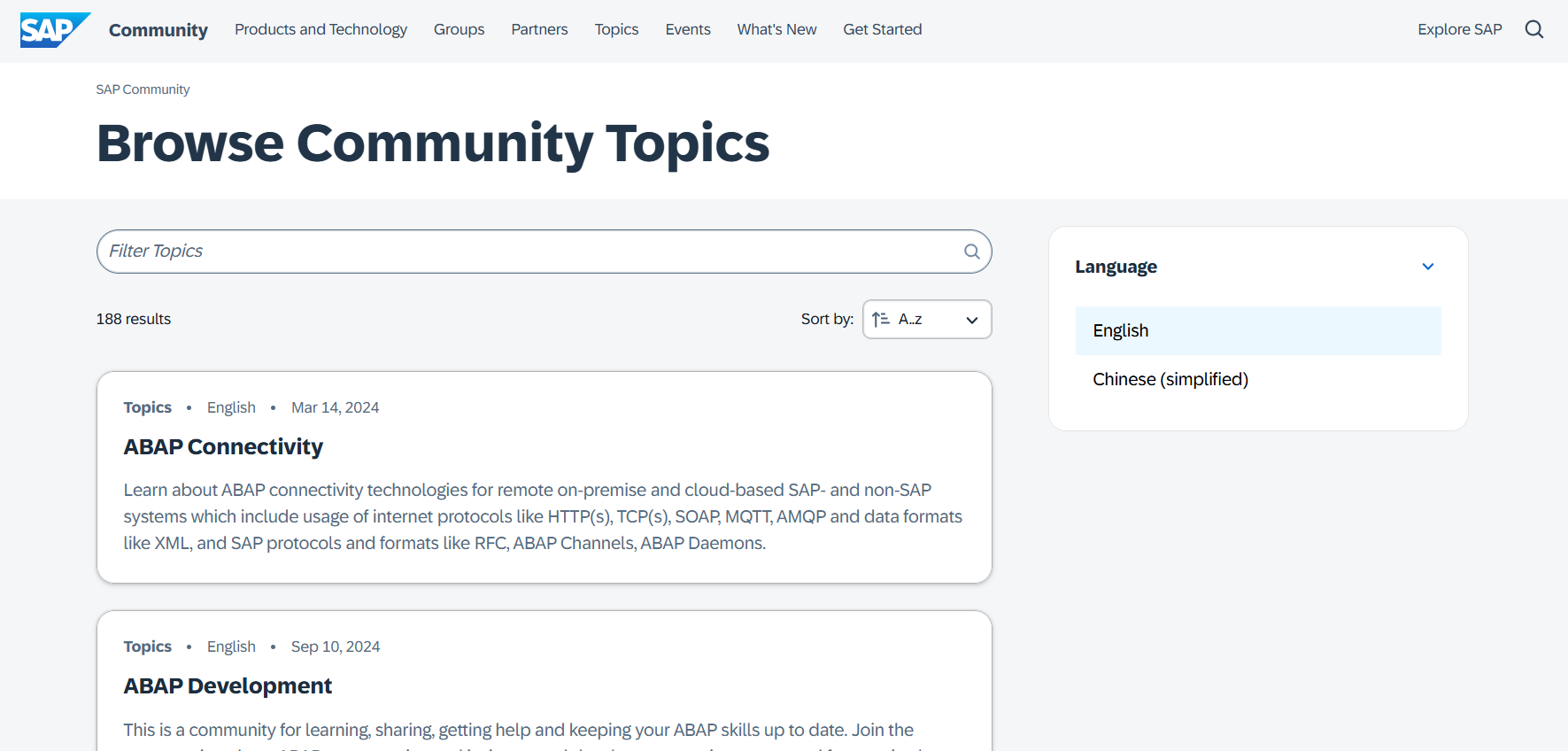
SAP is one of the major multinational companies that sell enterprise software, so it is natural that they have scaled their customer support and have a huge database of topics their users have already discussed and covered.
Feedback on the SAP community is great, and the company is truly leveraging its customers’ knowledge to the fullest. Another great thing about these communities is that the questions are indexed in search engines, making them much easier for the customer to find.
5. Create a clear customer service funnel
The goal of customer service is to solve queries as quickly and easily as possible. Having a clear structure and flow for providing customer support can help. We call it the customer service funnel.
I like the way Mailshake tackles this.
When you press the help button in your client dashboard, you are greeted with this:
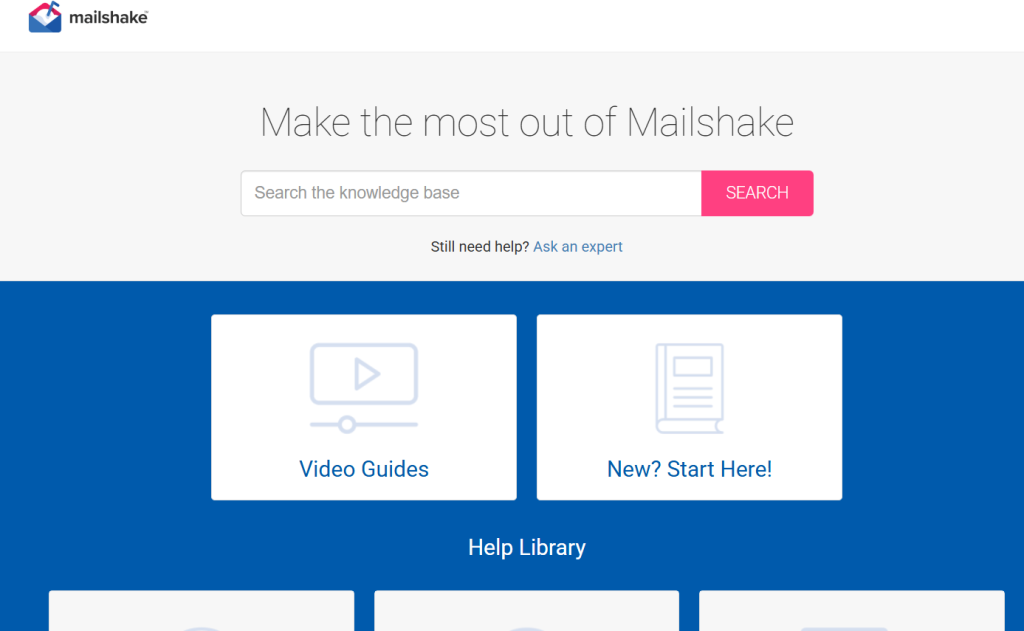
This is the first part of its customer service funnel. In these videos, you will have a step-by-step guide on how to use their service. In case it is not enough, you may click on “I Still Need Help,” and this window will popup:

Here, you can search for queries and check if they have already been answered. Or browse through popular topics. If you still can’t find the answer, you can write to them:

Mailshake leads its customers through two self-help levels before connecting them to a human customer service rep. It is very seamless and does not feel cumbersome. This is a great example of a simple customer service funnel.
Recommended reading
6. Invest in automation
When your support team is small, managing workflows manually feels manageable. But as your customer base grows, scaling without structure quickly becomes a challenge.
That’s where automation makes the difference. The right tools help your team move faster, stay organized, and deliver better service — without forcing them to learn entirely new systems.
For instance, platforms like Hiver bring automation into a familiar, inbox-like interface, making it easier to scale support without adding complexity.
The tool helps you:
- Automate repetitive tasks: With Hiver’s Automations, you can assign emails to the right team members, tag conversations based on customer type or issue urgency, and prioritize queries automatically — saving hours every week and freeing up your team for higher-value work.
- Manage workloads transparently: Turn incoming emails into clear tasks, so everyone knows what they’re responsible for — no more forwards, CCs, or confusion.
- Offer real-time support without switching tools: Hiver’s Live Chat lets your team chat with customers instantly through a familiar, inbox-like interface.

- Track and improve team performance: With Hiver’s analytics and reporting, you can monitor resolution times, track customer satisfaction, and balance workloads.
- Collect feedback automatically: Send CSAT surveys after interactions to gather real-time insights and continuously improve the support experience.
By bringing automation closer to where your team already works, you can scale service operations while keeping the experience fast, familiar, and customer-focused.
7. Use chatbots to handle first-line queries
Chatbots are quickly entering every level of customer engagement. They are used in sales, answering questions about products, and lately, they are also making their way into customer support because a chatbot builder is so effective and easy to use.
The advantage of chat support is that it is available in real-time.
Though chatbots can not fully substitute a human (at least for now), they can provide a quick first line of response to help a customer in need.
Consider this: chatbots can save up to 30% in customer support costs and speed up and answer up to 80% of routine questions.
If you are worried that users will be frustrated that they can’t talk to a live agent, fret not. You can combine the chatbot and human customer support.
So, if the customer cannot solve their issue with help from the bot, you can immediately connect them to a live representative using options like an IP phone service.

8. Create a standard operating procedure (SOP) manual
When your support team is small, it’s easy to manage everything through personal leadership and quick conversations. You probably know every team member by name, and informal communication keeps things moving.
But as your business grows, this approach becomes unsustainable. Without a shared system of managing customer conversations, confusion sets in, mistakes increase, and customer experience starts to slip. That’s when you need clear, documented processes — so everyone’s on the same page, no matter who’s handling the conversation.
A Standard Operating Procedure (SOP) manual does this. It documents how your support function operates — outlining everything from handling common queries to escalating critical issues — so that expectations are clear at every level.
If you are wondering where to start when creating an SOP, here is a short guide and some great tips. The SOP will help you to:
– Provide consistent service across multiple channels
– Save time and resources in training
– Improve communications between teams
– Set up clear guidelines and allow you to hold employees accountable
While having a standard process is important, allow your reps to tweak the responses to add a personal touch. This will make your customers feel that you care for them. Once you have all these things in place, the next important thing to do is measure and track performance.
9. Monitor, track, and analyze the right metrics
If you can’t measure it, you can’t improve it. Unless you start tracking what your customer service team does daily, it becomes very difficult to identify bottlenecks in your team and find areas of improvement.
Some of the main metrics that you should monitor include:
- Customer Satisfaction Score
- Customer Effort Score
- Net Promoter Score
- Social Media Chatter
When it comes to operational data:
- First Response Time
- Overall Resolution Rate
- First Contact Resolution Rate
- Customer Ticket Request Volume
- Average Ticket Handling Time
While tracking metrics is essential, you must also consider qualitative customer feedback and use it to improve your processes.
Customer service is about striking a balance between addressing customer feedback and vigorously tracking numbers to improve support quality.
10. Actively monitor support for customers on social media
As your customer base increases, more people will contact you via different support channels, including email, live chat, and social media.
But social media is the staple today. 59% of consumers would favor you if you answered queries through your social channels.

Take note of how Kiwi (one of Europe’s biggest online travel agencies) quickly responded to a disgruntled customer and acknowledged that their query was being worked upon.
Social media is all about timing, and you need to be on top of what’s happening there – if you’re looking to deliver great customer support.
Taking charge of a problem will appease existing customers and make your brand look good to potential customers.
11. Focus on a customer-centric culture in your organization
One of the most important aspects of scaling customer service is that your company culture must become customer-centric. And no, it is not the same as telling your two customer service reps (when you were just starting) that the customer is king.
Now, you have to deal with a much bigger in-house team, a larger customer base, vendors, suppliers of outsourced services, and more. So, catering to customer needs must become a religion within your company.

Recently, I had an issue with an item I purchased. When returning it, I was expecting a lengthy explanation of why I was returning it. To my surprise, the employee just took the item, apologized for being a bad fit, and returned the money.
When I commented that I was surprised by this approach, he informed me that it was company policy to take returns, no questions asked.
In another situation, there was a mistake in my grocery delivery. The brand apologized and said that I may keep all the items that were a mistake and that they’d refund the money (for the ones I ordered) or re-send me the correct order.
Again, see how having a customer-centric company-wide policy can make a huge difference between a positive and negative customer experience.
While the company bears the cost when things go wrong, keep in mind that you’re making a customer happy, and they’ll probably tell their friends and family about this experience.
Recommended reading
How To Build a Customer-Centric Culture in Your Organization
12. Keep your support team motivated
While it sounds very obvious, this does not mean that you can throw a couple of inspirational quotes together and be done with it. It takes a bit more than that.
- Make sure that your customer service team knows their real impact. Announce a service case of the week and show how customers spend more due to good service. Make their work matter.
- Gamify your rewards system. Create a leaderboard for metrics such as average resolution or first response time. At the end of every month, the winner could receive unique rewards—anything from a mug with a clumsy photo of theirs imprinted to a video compilation of everyone else on the team talking about what they like about this person.
- Occasionally, let your customer-facing employees tour other departments and learn how they work. Show them how product development works and get them to talk to the sales team or even marketing. This helps them better understand how the organization works—they know who is responsible for what and are better equipped to deal with different customer queries.

13. Use AI to scale and build smarter support
Nowadays, scaling customer service without AI will slow you down. Here’s how to use AI to move faster and serve better.
- AI-Powered Chatbots: Chatbots can instantly handle common queries, freeing your team to focus on more complex issues. They continuously learn from every interaction to deliver faster, more accurate responses. Tools like Hiver offer AI chatbots that fit seamlessly into your existing support workflows.
- Predictive Customer Analytics: AI can help you predict what customers might need before they even ask. Tools like Google Analytics and IBM Watson Analytics analyze behavior patterns, allowing you to personalize support and proactively resolve potential issues.
- AI-Enhanced Agent Assistance: Real-time support isn’t just for customers — it’s for your agents, too. Hiver’s AI Copilot acts like a search engine for your agents, surfacing the right response for your customers. When a customer asks a question, your support staff doesn’t have to dig through the company’s knowledge base to find the right answer—the copilot does all the heavy lifting. It searches the knowledge base and provides accurate responses that your team can use.

- Automated Quality Assurance: As your support volume grows, manual QA can’t keep up. AI tools like CallMiner and Gong analyze conversations at scale, helping you spot trends, coaching opportunities, and service gaps faster than ever.
- Sentiment Analysis: Understanding how customers feel is as important as what they say. Platforms like Clarabridge and MonkeyLearn scan conversations for emotional tone, helping your team adjust their real-time approach to deliver better experiences.
Turning customer service into your growth engine!
While scaling customer service, you mustn’t get overwhelmed. It might seem like you’ve got a lot of things to do, but you know how to prioritize. See how you can best equip your customer support team to delight customers and double down on that.
Scaling customer service isn’t about doing more—it’s about doing better, smarter, and faster without losing empathy. Start with one strategy, measure its impact, and keep building.
Frequently Asked Questions
1. Why is it important to scale customer service as a business grows?
As your business grows, the number of customer queries increases. Scaling customer service ensures you can handle this growing volume efficiently while maintaining the quality of support and customer satisfaction.
2. What is the difference between scaling and improving customer service?
Improving customer service focuses on enhancing the quality and experience for existing customers while scaling customer service is about increasing your ability to serve a larger customer base without compromising on quality or overburdening your team.
3. How can automation help in scaling customer service?
Automation can help by handling repetitive tasks like ticket assignments, sending acknowledgment emails, tagging requests, and providing instant answers to common questions. This frees up your support team’s time to focus on more complex customer issues.
4. What are some tools that can help in scaling customer support?
There are several tools that can help organizations scale customer service effectively. Platforms like Hiver, Zendesk, Freshdesk, and Intercom offer solutions for ticket management, team collaboration, workflow automation, live chat, and performance tracking.
5. Can scaling customer service affect personalization?
If done thoughtfully, scaling customer service does not have to affect personalization. By using the right tools and creating structured processes, businesses can balance efficiency and personal attention, ensuring customers feel heard and valued.
6. How can I measure if my customer service scaling efforts are working?
You can measure the effectiveness of your scaling efforts by tracking key metrics like Customer Satisfaction Score (CSAT), First Response Time, Net Promoter Score (NPS), and Resolution Time. Monitoring customer feedback and support team performance will also give you insights into how well your service is scaling.
7. When should a company start thinking about scaling customer service?
A company should start thinking about scaling customer service when it begins to see consistent business growth, increasing customer queries, longer response times, or signs that the existing support structure is struggling to keep up with demand.
8. How do organizations measure customer service?
Organizations measure customer service through a combination of metrics and feedback. They track quantitative data such as response time, resolution time, customer satisfaction scores, and ticket volumes, while also gathering qualitative insights from customer feedback, reviews, and social media conversations.
9. What is quality customer service in your organization?
Quality customer service in an organization means delivering fast, accurate, and empathetic support that solves the customer’s problem effectively. It also involves listening to customers, anticipating their needs, and consistently working to improve the overall service experience.














